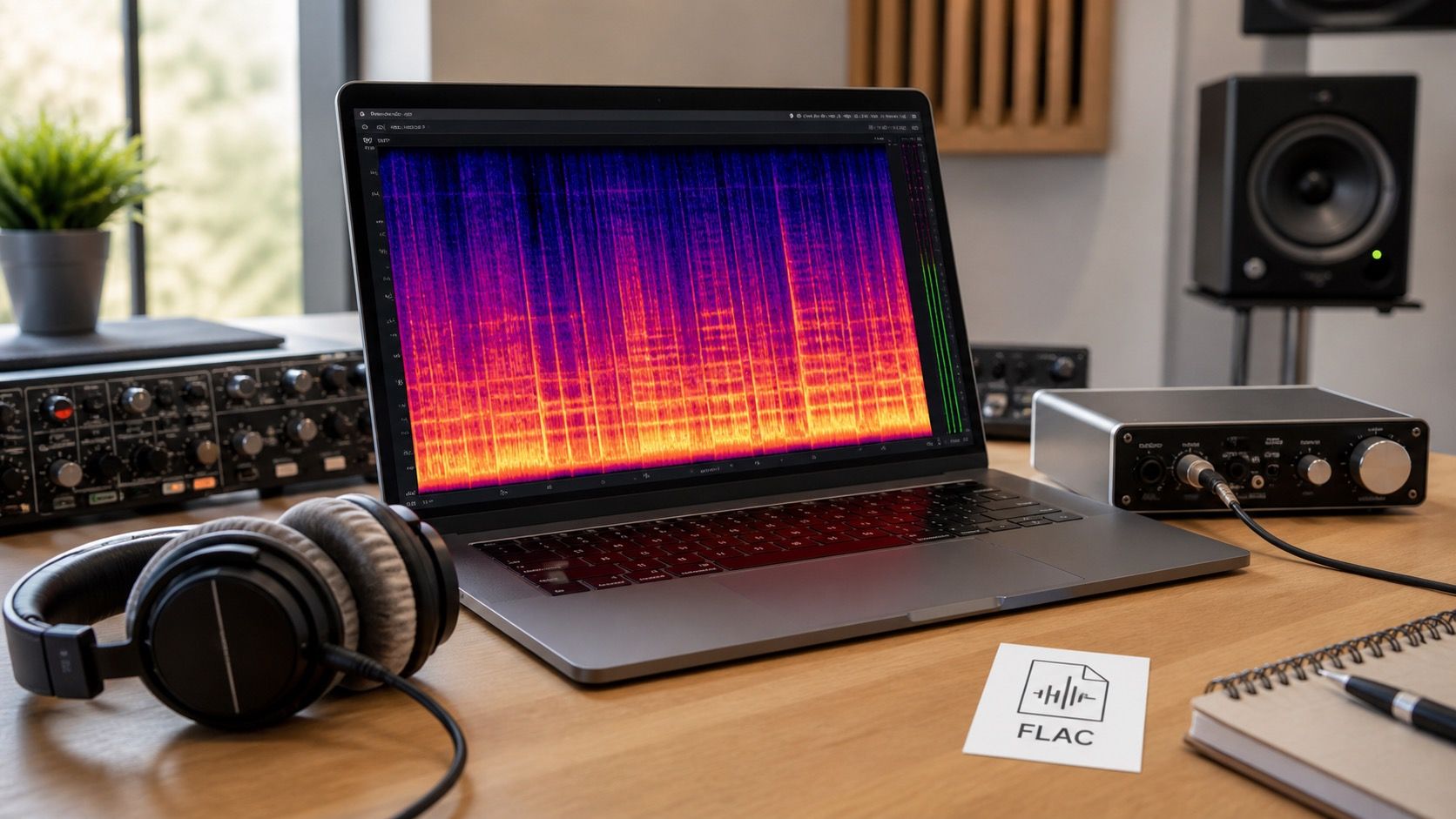
A FLAC spectrogram check can help you understand whether an AI music export has been preserved cleanly, but it cannot turn a weak source into a strong master. Lossless audio protects what is already there; it does not restore missing highs, remove model shimmer, or answer every question about a Suno fix.
FLAC preserves the source, it does not repair it
FLAC is a lossless container. That means it can store audio without throwing away data the way a lossy codec does. If you convert a clean WAV to FLAC, then decode it later, the audio should match the original. That is useful for archiving, transferring, and keeping a final master without wasting as much space as uncompressed WAV. It is not a repair process.
This distinction matters with AI music. If the generated song already has a fizzy vocal edge, a narrow hum, a crushed chorus, or a low-quality high band, saving it as FLAC will preserve those problems faithfully. The file may look professional in a folder and still sound rough on headphones. A lossless container is a storage choice, not a mastering engineer.
People often ask does Suno have FLAC because they want the cleanest possible export. That is a fair question, but the feature details can change, so the safer workflow is to verify the actual export options inside the account you are using and then inspect the delivered file. If the only available source is a lossy download, converting it to FLAC later only wraps the lossy content in a lossless container. It does not rebuild what the earlier codec removed.
What a FLAC spectrogram can show
A FLAC spectrogram is useful because it makes certain problems visible. A hard horizontal cutoff may suggest that the source came from lossy encoding or a limited generator output. Thin horizontal lines in quiet sections may reveal hum or persistent tonal noise. Vertical spikes can point to clicks or edit pops. A foggy high-frequency band can suggest hiss, shimmer, or aggressive processing.
The first thing I check is whether the visual pattern matches the listening problem. If a vocal sounds metallic, I look above the consonants and reverb tail for unstable high-band spray. If the mix feels dull, I check whether the upper range is simply quiet or sharply removed. If the bass feels strange, I inspect the bottom band for a constant tone that is not part of the kick, bass, or room tone.
| Spectrogram sign | Possible meaning | Next decision |
|---|---|---|
| Clean high-frequency ceiling | Lossy source, codec cutoff, or limited export range | Find a better source export before mastering |
| Thin steady low line | Hum, generator residue, or processing noise | Try a careful notch or return to stems |
| Wide noisy mist above vocals | AI shimmer, denoise damage, or harsh saturation | Use lighter dynamic EQ rather than broad removal |
| Sudden blank gaps | Edit mistake, gate, render dropout, or silence trim | Check the timeline and re-export that section |
None of these signs is proof by itself. Cymbals, distortion, noise beds, vinyl texture, and bright synths can all look messy. The point is to narrow the investigation. A spectrogram gives you places to listen again with a sharper question.
WAV, FLAC, and MP3 in an AI music workflow
WAV is often the simplest working format because it is uncompressed and widely accepted by audio editors. FLAC is good when you want lossless storage with smaller files. MP3 is useful for quick sharing and previewing, but it should usually be the last step, not the file you keep repairing. Each conversion can change what later tools see and hear.
For AI music cleanup, the practical chain is plain: keep the best original export, repair or master from that version, save a lossless working copy, then create the delivery formats required by the platform. If you make an MP3 early, run cleanup on that MP3, then save the result as FLAC, the final FLAC only preserves the already-damaged MP3. The container looks clean, but the source history is still in the sound.
This is especially important with stems. If you separate vocals, drums, bass, and instruments, keep the stem exports lossless when possible. A lossy vocal stem can exaggerate swirls around consonants. A lossy cymbal or hi-hat stem can turn into a brittle sheet of high-frequency noise. When those stems are recombined, the damage becomes harder to diagnose because it is spread across the mix.
When lossless export is worth keeping
Lossless export is worth keeping when the song is moving toward release, remixing, licensing, or serious archive work. A FLAC file gives you a smaller master copy that can be decoded cleanly later. It is also useful when you want to compare multiple repair passes without adding another lossy encode to each test. The file size is larger than MP3, but for finished songs the tradeoff is usually reasonable.
It is less important for a throwaway idea, a rough prompt test, or a ten-second reference clip. In those cases, speed may matter more than perfect preservation. The trap is treating every AI sketch as a master and filling a drive with lossless files that will never be used. Keep lossless versions of the takes that actually survived listening, arrangement, and cleanup decisions.
A good habit is to mark versions by purpose: raw export, repair pass, master candidate, delivery MP3. Then the FLAC spectrogram has context. You can see whether the master candidate added harshness, whether cleanup reduced a hum, or whether the delivery MP3 introduced a visible cutoff. Without version names, you are just comparing files with similar titles and hoping memory does the bookkeeping.
Final delivery checks before upload
Before uploading an AI music track, inspect the final lossless file and the final delivery file separately. The lossless file should be your clean reference. The MP3 or other platform-ready file should be checked for new cutoffs, clicks at the start or end, silence trim issues, and strange high-frequency changes after encoding. A problem that appears only in the delivery file may be an encoding setting, not a mix problem.
Listen at matched loudness. A brighter or louder version can seem better for five seconds and become tiring after a minute. Spectrograms are helpful here because they can show whether a so-called cleaner version actually contains more high-band noise. If the image shows extra energy and your ears feel tired, the fix probably went too far.
Also check the fade, intro, and quiet gaps. AI artifacts often hide where the arrangement thins out. A chorus can mask shimmer that becomes obvious in the last reverb tail. A file can pass a loud section check and still fail the ending. The spectrogram makes those thin moments easy to locate, then your ears decide whether they matter.
Use FLAC as a reference, not as a promise
The strongest reason to keep FLAC is repeatability. You can return to the same master candidate without wondering whether an MP3 encode changed it. You can compare a repaired version against the raw export and know the storage format is not adding loss. You can send a lossless reference into a mastering session and keep the delivery encode as a separate final step.
The weakest reason is status. A FLAC badge does not guarantee clean vocals, healthy highs, or a release-ready master. If the source is damaged, FLAC preserves the damage. If the cleanup is too heavy, FLAC preserves the dullness. If the AI model created a strange resonance, FLAC preserves that too. Use the format because it protects your decisions, then use the spectrogram and listening checks to decide whether those decisions were good.